Set up your coding agent with one prompt
Your coding agent can now connect itself to Wopee.io with one prompt. It shows you its plan, runs one open-source command, and you approve the connection in Commander.
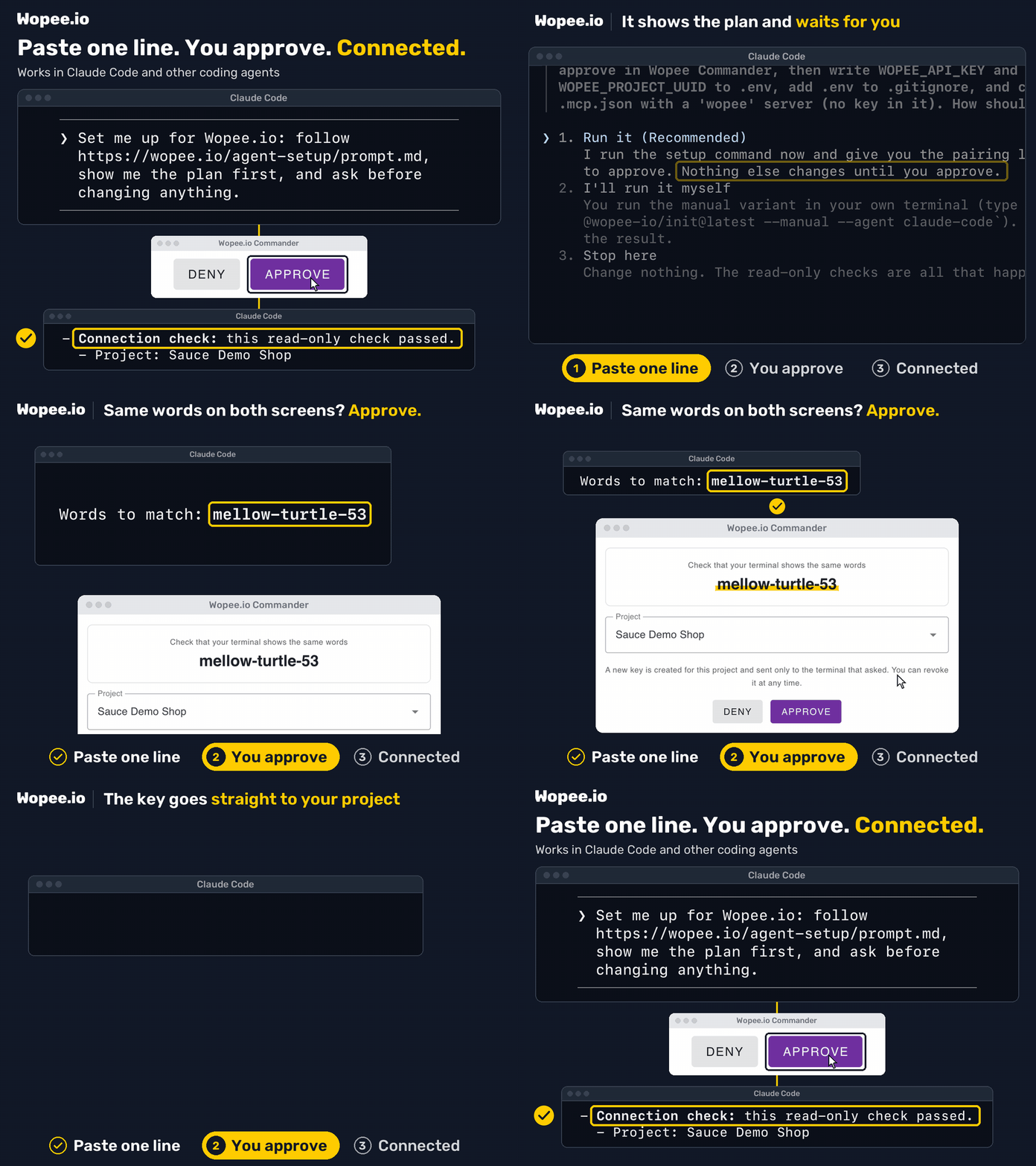
Paste this line into Claude Code or another coding agent:
Set me up for Wopee.io: follow https://wopee.io/agent-setup/prompt.md, show me the plan first, and ask before changing anything.
The agent runs npx -y @wopee-io/init@latest, which prints a link and three words. Open the link, check that Commander shows the same words, pick a project you administer and approve. A new API key goes from Wopee.io straight to the command, encrypted for it, and lands in a git-ignored .env. It never passes through the agent's chat and never sits in an MCP config. Each approval creates its own named key, which you can revoke under API Keys.
No account yet? Sign up first, since a project admin approves the connection. All steps are in the agent setup guide.