Wopee.io vs Playwright: 2026 Honest Comparison

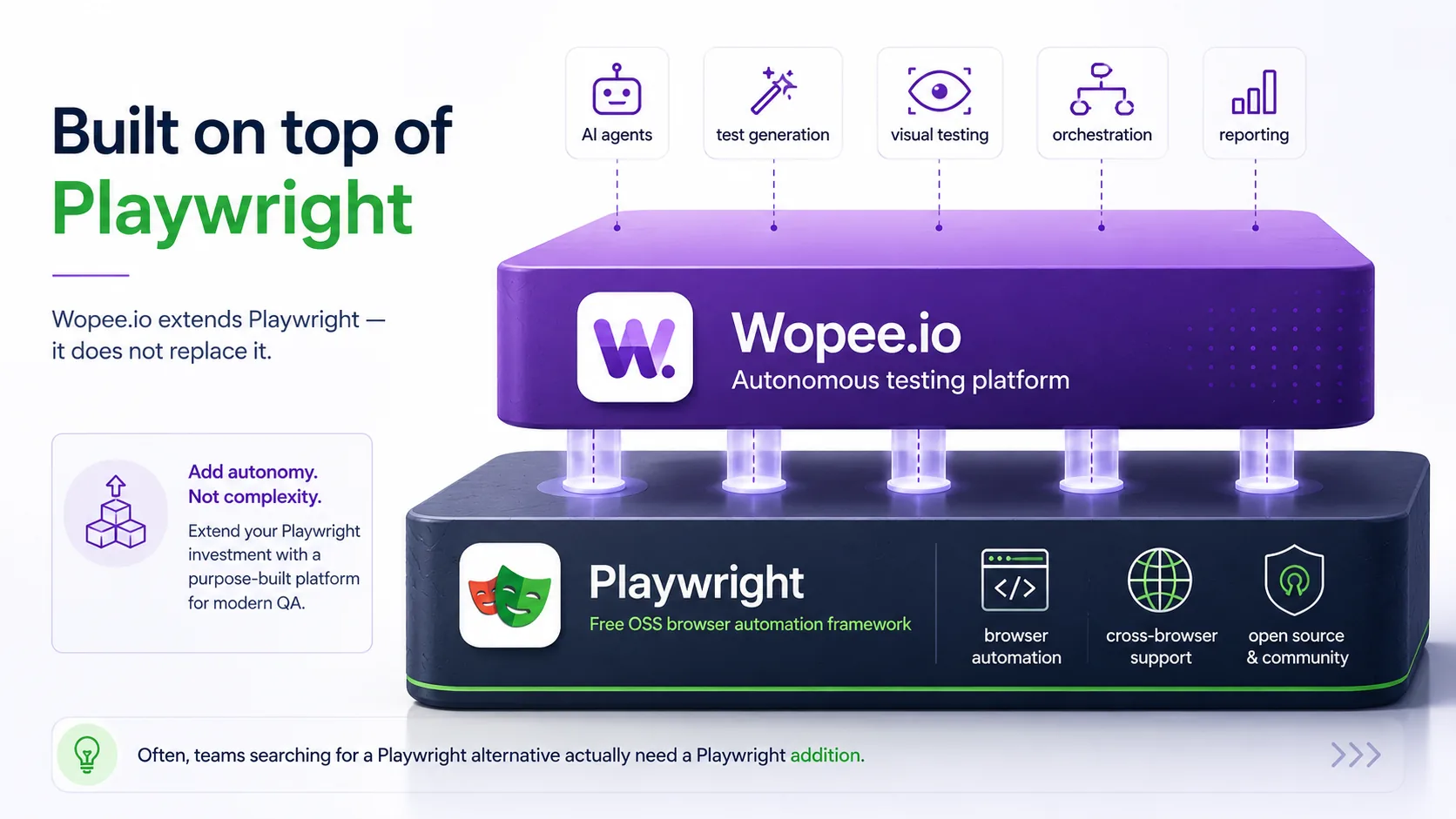
Playwright is Microsoft's free, open-source browser automation framework. Wopee.io is an autonomous testing platform built on top of Playwright that adds AI-assisted test generation, self-healing locators, AI visual diffing, and a managed dashboard. If you have engineering capacity to build and maintain a test suite yourself, Playwright alone is enough. If you want lower-maintenance coverage at QA-team scale, Wopee.io extends Playwright without locking you in.
TL;DR: Playwright alone vs Playwright + Wopee.io
| Playwright (alone) | Wopee.io (on Playwright) | |
|---|---|---|
| Test creation | Write code in JS/TS, Python, Java, .NET | Generate autonomously or write code |
| Maintenance | You maintain selectors + assertions | Self-healing locators on UI changes |
| Visual diffs | toHaveScreenshot(), pixelmatch | AI-assisted diff + managed baselines |
| Dashboard | None (HTML report in CI artefacts) | Wopee Commander (hosted, web UI) |
| Pricing | Free (Apache 2.0) | Free tier, paid from €19/user/mo |
| Best for | Engineering-heavy teams | QA-team scale + lower maintenance |
For the short answer: if your bottleneck is engineering capacity to write tests, you do not need Wopee.io. If your bottleneck is QA capacity to maintain tests as the UI changes, the Wopee.io layer on top of Playwright is what closes that gap.
Feature-by-feature comparison
| Feature | Playwright (alone) | Wopee.io (on Playwright) |
|---|---|---|
| Languages | JavaScript, TypeScript, Python, Java, .NET | JavaScript / TypeScript (Playwright SDK), .NET SDK |
| Browsers | Chromium, Firefox, WebKit, Edge, Chrome | Same, uses Playwright engines |
| Test authoring | Code-only + codegen recorder | AI-generated, ChatOps, recorder, or code |
| Self-healing locators | No | Yes, locators re-resolve on UI change |
| Visual diff algorithm | Pixelmatch (YIQ pixel diff) | AI-assisted diff with managed baselines |
| Baseline management | Filesystem (in git) | Hosted dashboard (Wopee Commander) |
| Review UI for non-devs | No (HTML report only) | Yes, web UI with one-click baseline updates |
| CI integration | Any CI (GH Actions, GitLab, Jenkins, Circle) | Same + dashboard webhooks |
| Parallel execution | Yes (workers, shards) | Yes, uses Playwright's runner |
| Mobile testing | Emulated devices + WebKit | Same as Playwright + device-difference handling |
| Open source / hosted | Open source (Apache 2.0) | Hosted SaaS, OSS underneath |
| Pricing | Free | Free tier, from €19/user/mo |
Why this matters: Wopee.io is not a different framework (it is the same Playwright runtime your team would already use, plus a platform layer. The honest trade-off is not "framework A vs framework B") it is "do I want to own the maintenance and dashboard layer myself, or buy it?"
Head-to-head: where the trade-offs actually live
1. Test creation: code-first vs autonomous
Playwright is code-first. You write tests in JS/TS, Python, Java or .NET, use the Playwright codegen recorder to bootstrap a flow, then edit by hand. This is the right model when you have engineers on the team who treat tests as code, versioned, reviewed, refactored.
Wopee.io adds an autonomous path on top. You can still write Playwright code by hand, but you can also generate tests by describing the flow, pointing the agent at a URL, or using ChatOps in the dashboard. The generated artefact is Playwright underneath, there is no proprietary DSL.
When NOT to pick Wopee.io here: if your team is engineering-heavy, your tests live next to your application code, and your reviewers want every test in a pull request, the autonomous-creation value is small. You already have the workflow that Wopee.io is replicating.
When NOT to pick Playwright alone: if your QA team owns the suite and writing Playwright code is their bottleneck (not the application under test), autonomous generation collapses the time-to-first-test from hours to minutes.
2. Maintenance: who handles selector churn
Selector churn is the silent cost of any large Playwright suite. The UI ships a new build, a button moves into a different container, and 12 tests fail with locator.click: Timeout. Someone has to chase each one down.
Playwright does not solve this for you. It gives you robust locator strategies (role, label, test-id) and trace-viewer for debugging, but a broken locator is your team's problem.
Wopee.io adds self-healing on top. When the underlying DOM changes, the locator re-resolves against the new structure instead of failing the run. The healed locator gets recorded for review, so a human still confirms the change is intentional, you do not lose the audit trail.
The honest trade-off: self-healing is not a silver bullet. It works best on layout-level churn (an element moves, a class renames) and worst on semantic changes (the button does something different now). Wopee.io shifts maintenance from "fix every broken selector" to "review the small number of changes that actually matter." Whether that's worth €19/user/mo depends on how much time your QA team currently spends on selector fixes. See our guide to reducing test maintenance for the framing.
3. Visual diffing: pixelmatch vs AI
Playwright ships expect(page).toHaveScreenshot(), backed by pixelmatch. It compares two PNGs pixel-by-pixel using YIQ color distance, with a configurable threshold and per-region masks. It is fast (~28 ms on a 1440×900 image) and free. Baselines live in your git repo under __snapshots__/.
Wopee.io replaces the pixel approach with an AI-assisted diff that distinguishes meaningful visual change from rendering noise (anti-aliasing, sub-pixel font shifts, timezone-driven text). Baselines live in Wopee Commander instead of git, so the non-engineers on your team can review and approve them from a browser.
The two diff philosophies have different failure modes. Pixel diffing produces false positives on dynamic content; AI diffing can produce false negatives on subtle but real regressions. We break the algorithms down in detail in Screenshot comparison algorithms.
When NOT to pick Wopee.io here: if your visual suite is small (under ~50 baselines), pixel diffing in Playwright is genuinely enough. The hosted dashboard is overhead you do not need.
When NOT to pick Playwright alone here: once you have non-engineers reviewing baselines, or a baseline library in the hundreds, the filesystem-in-git approach becomes painful. Git diffs do not show you the visual delta, they show you a binary changed.
4. Dashboard, reporting and collaboration
Playwright produces an HTML report as a CI artefact. It is well-built (Trace Viewer, network log, video, console output) but it lives in your CI's artefact storage and is intended for engineers debugging a failed run.
Wopee.io adds Wopee Commander: a hosted web UI where QA leads, product owners and stakeholders can browse runs, approve baselines, and trigger reruns without touching CI. It is the "people who do not have CI access" layer.
If your reviewers all have access to GitHub Actions or your CI of choice, the Playwright HTML report is enough. If your QA lead does not have a GitHub seat, or your product manager wants to approve a baseline change before release, the dashboard is the differentiator.
5. Migration path: low-friction by design
This is the underrated part of the comparison. Because Wopee.io runs Playwright underneath, the migration path in either direction is short.
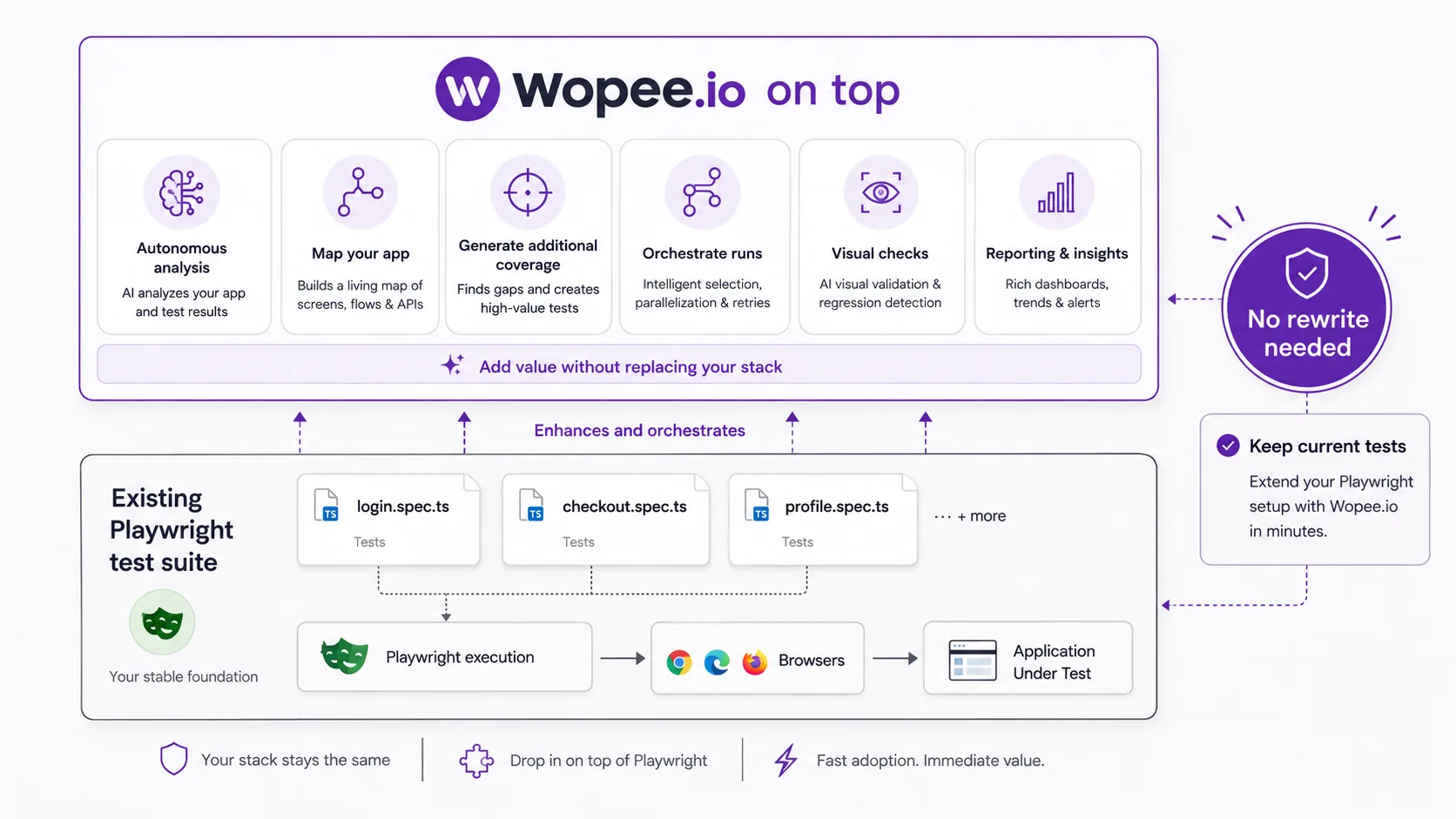
- Playwright → Wopee.io: point Wopee at your existing Playwright suite. The tests run as-is. You opt into self-healing and the hosted dashboard incrementally.
- Wopee.io → Playwright: the test code is Playwright. You take the suite with you. The cost of leaving is rebuilding the dashboard and self-healing layer, not relearning a framework.
That low-lock-in story is the strategic reason "Wopee vs Playwright" is the wrong framing in the first place. They are not competing for the same buying decision. Wopee.io is the platform decision after you already chose Playwright.
Pricing side-by-side
| Tier | Playwright (alone) | Wopee.io (on Playwright) |
|---|---|---|
| Free | Free (Apache 2.0) | Free tier, no credit card |
| Starter | Free | €19/user/mo |
| Team | Free (your CI cost only) | €79/user/mo (Basic) |
| Enterprise | Free + your time | Custom, book a demo |
Playwright itself is free under Apache 2.0, you pay only for the CI compute it runs on and the engineering time to build and maintain the suite. Wopee.io's published pricing is on the /pricing/ page; the maths is usually "Wopee.io seat cost vs the QA hours per month currently spent on selector and baseline churn."
What our customers say
Both customers below run Playwright underneath and Wopee.io on top, the literal "Playwright + Wopee.io" pattern.
Livesport: 40,000+ visual checks/month, Playwright-based suite
Streamlined visual testing across 1,000+ baselines; even manual testers maintain baselines with a single click.

Martin Šimon, Test Automation Team Leader
"A proof of concept with Wopee.io and other tools that handle visual testing evaluation and management (or even a potential in-house solution) clearly showed that Wopee.io was the only tool capable of delivering the required functionalities at a reasonable cost."
SYNOT TECH: 1,600+ tests, Playwright + .NET SDK
In a complex iGaming environment covering 9,500+ games across 80+ providers, SYNOT picked Wopee.io for its simple SDK integration, web-based baseline management, and intelligent device-difference handling. Every pipeline-maintaining QA engineer uses it.

Jakub Miakyš, QA Automation Specialist & Lead
"Before implementing visual testing from Wopee.io, it wasn't possible to test these scenarios at all."
When Playwright alone is the right answer
Be honest about who should not buy Wopee.io:
- Pure engineering teams where tests live next to application code, every test goes through code review, and the suite is owned end-to-end by developers.
- Small suites (under ~100 tests, under ~50 visual baselines) where the maintenance tax has not yet become a problem.
- Zero-budget projects (OSS libraries, hobby projects, personal sites) where the Playwright getting-started guide plus a CI pipeline is all you need.
- Strict no-SaaS policies, air-gapped or sovereignty-constrained environments where a hosted dashboard is not permitted.
For these teams, Playwright alone is genuinely the right answer. There is no reason to pay for a platform when the framework already does the job.
When Wopee.io on top of Playwright pays off
The buying signal is maintenance cost, not framework choice:
- Your QA team spends measurable time per week chasing broken selectors after deploys.
- Non-engineers (product, design, QA leads) need to review and approve visual changes.
- You want to consolidate functional E2E + visual regression in one tool instead of stitching Playwright + a separate visual service together.
- You want autonomous test generation so QA can ship coverage without waiting on engineering capacity.
- The suite is large enough (hundreds of tests, hundreds of baselines) that filesystem-in-git baseline management is painful.
If three or more of those apply, the Wopee.io layer on top of Playwright likely pays for itself in QA hours saved.
A note on the comparison framing
A reminder, since the keyword that brought you here was probably "Playwright alternative": Wopee.io is not a Playwright alternative. It is a platform built on Playwright. If you are evaluating against Playwright, you are really evaluating against "Playwright + the time and budget to build the dashboard, self-healing and baseline-management layer yourself."
Some teams should genuinely build that themselves. Most should not. The honest version of this comparison is that Wopee.io commercialises the layer most teams would otherwise write internally.
Wopee.io is also a younger platform than Microsoft's Playwright. Playwright has a larger contributor base, longer track record, and broader language support (Python, Java and .NET as first-class citizens). If your buying process needs a decade of references or first-class Python tests, that is a real point for Playwright-alone.
Choosing between Playwright and Wopee.io
- Engineering-owned suite, code-reviewed tests, small-to-medium scale → Playwright alone.
- QA-owned suite, selector churn eating time, non-eng reviewers → Wopee.io on top of Playwright.
- Replacing Applitools or a paid visual service → see Applitools alternatives 2026.
- Wider context on autonomous testing → AI testing agents.
Next step
Self-serve, no credit card: Compare Wopee.io plans on /pricing/ and start in the free tier, your existing Playwright tests run as-is.
Team or enterprise evaluation: Book a demo, we will walk through a Playwright suite of yours and show what self-healing and the managed dashboard change in practice.
Want monthly visual-testing intelligence, what is changing in Playwright, where AI diffing actually helps vs hurts, and tactical playbooks from teams running real test suites? Subscribe to The Wopee Newsletter.
Keep reading
All postsHow SYNOT TECH scaled test automation (& visual testing)
A story of evolving QA maturity in a complex iGaming environment and how visual testing helped make automation more robust.
Oct 10, 2025Playwright Visual Testing: Complete Setup Guide (2026)
2026 guide to Playwright visual testing: install, write screenshot tests, manage baselines, integrate visual checks into CI. Working code samples.
May 8, 2024Flaky Tests in E2E Suites: Detection & Fixes
Flaky tests affect 16% of tests at Google and erode CI trust. Learn root causes, detection methods, and proven remediation patterns for E2E test suites.
May 2, 2026