Visual Testing: The Complete Guide (2026)

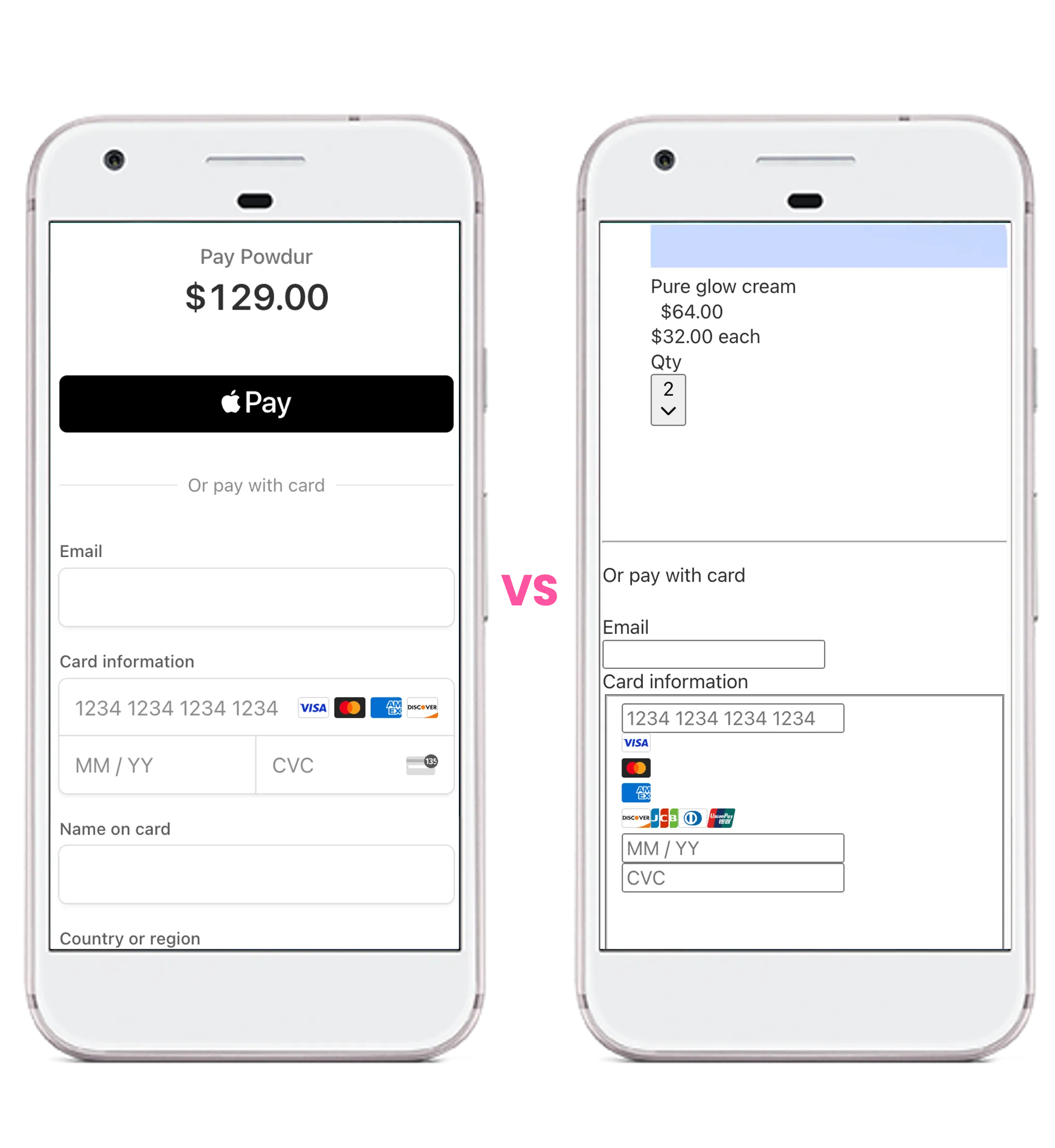
Visual testing (or visual regression testing) captures screenshots of your web app, compares them against approved baselines, and flags pixel-level or structural differences as regressions. You need it whenever CSS, fonts, layout, or third-party widgets can break the UI without breaking functional tests. The 2026 toolchain spans Playwright's built-in toHaveScreenshot(), Percy and Chromatic for component review, Applitools and Wopee.io for AI-assisted diffing, and engines like pixelmatch and ODiff underneath.
Quality isn't just about code working.
It's about users loving what they see.
Most teams miss this simple truth: a visually broken app is just as harmful as a technically broken one. Visual testing is how you close that gap, and in 2026, with AI-assisted diffing, self-healing baselines, and component-level regression tooling now mainstream, the bar for what counts as good visual coverage has moved.
TL;DR: Key Takeaways
- What it is: Automated screenshot comparison against an approved baseline, with diffs flagged for review.
- When you need it: Frequent CSS changes, design-system rollouts, multi-brand theming, responsive redesigns, third-party widgets, A/B tests.
- Tooling in 2026: Playwright's
toHaveScreenshot()for in-repo basics; Percy, Chromatic, Applitools, and Wopee.io for review UX, AI diffing, and baseline management. - Diff engines that matter: pixelmatch (Playwright default), SSIM, perceptual hashing (pHash), and ODiff, covered in depth in our screenshot comparison algorithms guide.
- The 2026 shift: AI-assisted comparators reduce false positives on anti-aliasing and minor rendering noise; self-healing baselines auto-accept intentional UI changes without manual mass-approvals.
- Biggest pitfall: Pixel-perfect comparators without environment control (Docker, font pinning) generate so many false positives that teams abandon visual testing entirely.
Introduction
Traditional testing doesn't cut it anymore. In the race to keep up with fast-paced web development, visual bugs are the silent killers of user experience. Functional tests keep things running, but visual testing is what keeps users happy.
This guide is for test automation engineers and team leaders navigating the world of visual testing, whether you're just getting started or scaling it across multi-environment CI/CD pipelines. The 2026 landscape rewards teams who pair a fast deterministic diff engine with AI-assisted triage and centralized baseline management. Visual testing isn't an add-on; it's the difference between a working app and a delightful user experience.
1. Understanding Visual Testing
What is Visual Testing?
Visual testing, also known as screenshot testing, ensures that a web application appears as intended to users. Unlike functional testing, which focuses on data and interaction, visual testing validates the user interface, including layout, colors, and consistency across devices.
How It Works
Visual testing involves capturing screenshots of web pages and comparing them to previously approved baselines. Any differences are flagged and categorized as regressions or acceptable changes.
Pixel-Perfect vs. Dynamic (AI) Visual Testing
Visual testing strategies can be categorized as pixel-perfect or AI-driven. Pixel-perfect approaches compare screenshots pixel by pixel, which can lead to false positives due to minor differences like anti-aliasing. AI-driven methods intelligently compare images, ignoring trivial changes, thus reducing false positives. However, AI-based methods can sometimes misinterpret changes, leading to missed bugs or flaky results. The right choice depends on which diff engine sits underneath, see our deep dive on screenshot comparison algorithms for the trade-offs between pixelmatch, SSIM, pHash, ODiff, and AI ensembles.
Types of Visual Testing
- Manual: A human visually comparing screens, slow, error-prone, and impossible to scale, but still useful for one-off design reviews.
- Automated pixel-by-pixel: Tools like Playwright's
toHaveScreenshot()(powered by pixelmatch) collect screenshots and run pixel comparisons in CI. Precise, but prone to false positives from anti-aliasing and font rendering unless you containerize the runner. - Structural (SSIM-based): Compares image patches by luminance, contrast, and structure rather than raw pixels. More forgiving of minor rendering noise; about 3× slower than pixelmatch.
- Perceptual hashing (pHash): Generates a fingerprint per image and compares hashes, used as a pre-filter to skip clearly unchanged pages before running an expensive diff.
- AI-augmented comparison: Tools like Applitools Visual AI, Percy's Visual Review Agent, and Wopee.io's AI-driven diffing layer ML-based triage on top of pixel diffs, intelligently ignoring trivial changes while surfacing real regressions.
- AI-augmented querying: LLM-based assertions on screenshots, e.g. "How many products are in the cart?" or "Is the CTA button visible?". Best combined with a deterministic diff engine, not used as the primary comparator.
Source: Wopee.io
2. Benefits of Visual Testing
-
Enhanced User Experience: Ensures visual consistency to maintain a high-quality user experience.
-
Time and Cost Efficiency: Reduces the need for manual UI checks, providing rapid results with minimal setup through tools like Wopee.io.
-
Complementary to Functional Testing: Supports confident releases by ensuring the application looks correct in addition to verifying behavior.
-
Boosts Deployment Confidence: Helps teams deploy with less risk of unnoticed visual bugs, particularly those caused by CSS changes.
3. Challenges in Visual Testing
Handling Dynamic Content
Content like dates or ads can lead to false positives. Techniques such as ignoring specific areas can mitigate this. This can be done using a no-code approach (where users select regions to ignore) or by providing locators to ignore specific elements, e.g., #ytplayer to ignore the HTML element with the CSS ID (YouTube player).
Cross-Browser/Device Variations
Different browsers and devices render content differently, leading to inconsistencies. Visual testing tools help maintain visual quality across environments.
Multi-Version/Multi-Environment Support
When running visual testing at scale, you will need to support multiple testing environments and test against various versions or branches. This is supported by tools like Wopee.io out of the box. However, when using tools like Playwright, where visual testing is included, this support needs to be implemented by setting up rules and integrating it into your testing framework.
Team Collaboration
Running visual testing requires storing baseline screenshots. When working in a team or using CI/CD tools like GitHub, GitLab, or Jenkins, you need to centralize these baselines. In some cases, you may also need to store different baseline versions for development/local runs and CI/CD runs.
Maintenance Overhead
Frequent UI changes require updated baselines. Tools like Wopee.io, with advanced versioning, can ease this burden by allowing quick processing of baselines in batches, filtering through them, batch approving, etc.
False Positives
Pixel-perfect comparisons often yield false positives for minor differences. AI-driven tools and properly configured thresholds help minimize these. Stability can be achieved by setting thresholds, using a retry approach, using different comparison algorithms, or running tests in Docker to fix the configuration.
4. Best Practices for Effective Visual Testing
Define a Robust Baseline
Use stable, approved versions of your application as the baseline for comparison. Ensure baselines are centrally stored for consistent team collaboration and version control.
Use Ignoring Techniques
Mask dynamic areas to reduce false positives, such as timestamps or rotating banners. Use a combination of no-code tools for simple ignores and locators for complex scenarios.
Set Sensible Thresholds and Tolerance Levels
Define tolerance levels for minor differences to avoid blocking the CI/CD pipeline. Configuring appropriate thresholds helps reduce false positives from slight rendering variations.
Automate Visual Tests in CI/CD Pipelines
Integrate visual tests as part of the CI/CD workflow to ensure continuous validation across environments. Use tools that support multi-version and multi-environment testing to handle complex projects.
Leverage AI and ML for Intelligent Comparisons
AI can help distinguish between meaningful changes and trivial differences, reducing noise. Use AI-based tools that allow for dynamic content handling and reduce the need for manual interventions.
Regularly Update and Manage Baselines
Update baselines after intentional UI changes to keep visual tests relevant. Tools with advanced versioning and batch processing features can significantly reduce maintenance overhead.
Combine Functional and Visual Testing
Combining functional testing with autonomous visual testing enhances test coverage. Use tools like Wopee.io to benefit from automated visual validation while verifying application logic.
Implement Cross-Browser/Device Testing Strategies
Ensure consistent visual quality across different browsers and devices by selecting tools that offer broad compatibility. Run visual tests in Docker or virtual environments to manage cross-browser variations effectively.
Centralize Team Collaboration
Store baseline images centrally to enable better collaboration and version control among team members. Use cloud-based solutions to facilitate efficient sharing and management of baselines in CI/CD environments.
Handle Dynamic Content with Proper Strategies
Use ignore regions, masks, or dynamic locators to handle frequently changing content like dates, ads, and user-specific information. Implement AI-driven methods to intelligently ignore these elements when needed.
Monitor and Optimize Test Stability
Address flakiness by configuring stable environments, using retries, and running tests consistently in Docker to eliminate environment discrepancies. Utilize different comparison algorithms to enhance test robustness.
Train Team Members on Visual Testing Tools
Ensure that team members understand how to effectively use visual testing tools. Conduct regular training sessions to build proficiency and promote best practices for maintaining baseline images.
5. Tools and Technologies
Popular Visual Testing Tools (2026)
- Playwright
toHaveScreenshot(): Built into Playwright (v1.50+ as of 2026), uses pixelmatch under the hood with YIQ color-distance and anti-aliasing detection. Baselines live in your repo. The lowest-friction starting point for most teams, see our Playwright visual testing setup guide. - Cypress + plugins: Cypress 14.x doesn't ship native visual testing; teams pair it with
cypress-image-snapshot, Percy, or Applitools. - Storybook + Chromatic: Component-level visual regression for Storybook 9.x with cloud review UX, branch-aware baselines, and Turbosnap to skip unchanged stories. Strong if you already use Storybook.
- Percy (BrowserStack): SaaS visual testing with cross-browser rendering and review workflows. Integrates with Cypress, Playwright, Selenium, Puppeteer.
- Applitools Eyes: AI-powered ("Visual AI") with mature review UX and many SDKs, but enterprise pricing. Accuracy headlines are vendor-reported, not independently benchmarked, see our Applitools alternatives breakdown.
- Wopee.io: Modern, cost-effective AI-driven platform with self-healing baselines, multi-environment/multi-branch support, and AI testing agents that combine visual checks with functional assertions. Typical savings of 40-60% vs. enterprise competitors. See pricing.
- BackstopJS, Lost Pixel, Argos: OSS-friendly options. BackstopJS is the long-standing config-driven choice; Lost Pixel and Argos modernize the workflow and increasingly back the diff engine with ODiff for speed.
Open-Source vs. Commercial Tools
Open-source tools (Playwright's built-in, BackstopJS, Lost Pixel) are cost-effective and give you full control of the diff engine, but you'll build your own review UI, baseline storage, and branch-aware workflows. Commercial tools (Wopee.io, Applitools, Percy, Chromatic) charge for exactly that, review UX, dashboards, baseline management, and AI triage. The right answer depends on team size and reviewer fatigue, not the algorithm.
Criteria for Tool Selection
Consider your team's size, budget, technical stack (Playwright vs. Cypress vs. Storybook), CI/CD environment, number of screenshots per build, and whether reviewer fatigue is your bottleneck. For an in-depth comparison, see Best Applitools Alternatives 2026. You can also explore our GitHub repository for getting started with Playwright Visual Testing.
6. Implementation Strategies for Test Automation Engineers
Start Small with Critical Components
Begin with the most critical pages or components that have the highest impact on the user experience. This helps demonstrate the value of visual testing and identify any early challenges without overwhelming your team.
Build Modular and Reusable Test Scripts
Write modular test scripts that can be reused across different pages or components. This reduces redundancy and helps maintain scripts efficiently, leading to lower maintenance costs over time.
Collaborate Closely with Developers
Work with developers to ensure that UI components are built in a way that facilitates visual testing. Developers should be aware of what impacts visual baselines, which can help them make design choices that reduce false positives.
Automate Environment Setup and Management
Ensure that your test environments are as consistent as possible. Automate the setup of environments using tools like Docker or cloud-based solutions to minimize discrepancies that could cause false positives.
Integrate Tests into CI/CD Pipelines
Embedding visual tests into CI/CD pipelines ensures that tests are run automatically whenever changes are pushed. This facilitates rapid feedback and helps identify visual regressions as early as possible.
Document and Communicate Findings Effectively
Use screenshots, annotations, and detailed reports to document visual bugs. This ensures that findings are easily understandable for developers and stakeholders, making it easier to fix issues quickly.
Use Version Control for Baseline Management
Store baseline images in version control systems like Git. This allows easy tracking of changes and ensures that every team member is working with the same set of baseline images, reducing inconsistencies in test results.
Gradually Expand Test Coverage
After achieving stability in testing critical components, gradually expand your test coverage to include additional pages and components. This helps in scaling the visual testing efforts effectively without overwhelming resources.
Regularly Review and Update Baselines
Baselines need regular updating, especially after intentional UI changes. Schedule reviews to keep baselines current and avoid unnecessary test failures.
Utilize Reporting and Analytics Tools
Use analytics tools to understand trends in visual test failures. This can provide insights into problem areas, allowing you to proactively address common causes of visual regressions.
Implement Flakiness Detection and Retries
Set up automatic retries for tests that fail due to suspected flakiness. Identify common flaky scenarios and address the root causes to improve the overall stability of visual testing.
Collaborate Across Teams for Unified Testing Strategies
Encourage collaboration between QA, development, and design teams. A unified approach ensures that visual standards are clear and helps align visual testing goals with overall project objectives.
 Source: Wopee.io & OpenAI
7. Leadership Insights for Team Leaders
Assessing ROI
Quantify benefits such as reduced visual bugs in production, decreased manual inspection time, and improved customer satisfaction. Highlight these metrics to justify the investment in visual testing and demonstrate its value to stakeholders.
Building the Right Team
Assemble a skilled team by training members in visual testing tools and best practices. Provide ongoing development opportunities to ensure that the team stays updated with the latest tools, trends, and techniques in visual testing.
Resource Allocation
Allocate resources for the initial setup, maintenance, and expansion of visual testing efforts. Ensure there is enough time and budget for maintaining baseline images and refining test scripts, especially as UI changes frequently.
Policy Integration
Incorporate visual testing into existing QA policies and ensure that it is a standard practice across all projects. Integrate visual testing into CI/CD workflows to make it a seamless part of the development lifecycle.
Measuring Success
Establish clear success metrics, such as reduction in escaped visual bugs, decreased manual testing time, increased test coverage, and overall improvement in deployment confidence. Use these metrics to continuously assess and improve visual testing strategies.
Foster a Culture of Quality
Promote a culture where quality is everyone's responsibility. Encourage cross-functional collaboration between QA, developers, designers, and product managers to ensure that visual quality is prioritized from the initial design phase through development and testing.
Stakeholder Communication
Keep stakeholders informed about the impact of visual testing through regular updates and reports. Demonstrate how visual testing contributes to higher quality releases and overall project success.
8. Overcoming Common Obstacles
Change Resistance
Introduce visual testing incrementally and demonstrate quick wins to reduce resistance from team members. Showcase the benefits through examples of visual bugs caught early and the time saved by automating visual checks.
Scaling Tests
Use tools like Wopee.io that provide multi-branch support, batch processing, and easy environment management to facilitate scalability. Invest in scalable infrastructure and processes that can grow with your application.
Dealing with Flaky Tests
Address flakiness by using techniques like ignoring dynamic areas, setting appropriate thresholds, and running tests in controlled environments. Implement a retry mechanism for flaky tests and work with developers to stabilize the underlying causes of flakiness.
Baseline Maintenance
Baseline images require continuous maintenance, especially when UI changes are frequent. Use tools that provide bulk baseline approvals, versioning, and easy comparison views to simplify the management process. Establish a process to periodically review and approve changes to baselines to ensure they stay up-to-date.
Managing Dynamic Content
Use techniques such as ignoring dynamic elements, masking, or using locators to exclude specific content that frequently changes (e.g., timestamps, user-specific data). Leverage AI-driven approaches to intelligently ignore these elements without compromising the overall test reliability.
Team Alignment
Achieve alignment across development, QA, and design teams by conducting training sessions on the value and usage of visual testing. Create shared documentation and best practices to help everyone understand their role in ensuring visual quality.
9. Case Studies and Real-World Examples
Livesport's Visual Testing Journey with Wopee.io
Livesport, a leading provider of live sports data, adopted Wopee.io to implement visual regression testing across its suite of web applications. By leveraging Wopee.io's advanced visual testing capabilities, Livesport was able to automate the validation of visual changes, ensuring consistent UI across different platforms. Wopee.io helped Livesport reduce visual regressions by 60%, decrease the time spent on manual UI checks, and significantly boost the confidence of their deployment process. Additionally, Livesport utilized Wopee.io's multi-environment support to manage different branches and versions, which was critical in maintaining quality across a highly dynamic and fast-paced development cycle. The collaboration allowed Livesport to save approximately 40% of the resources previously allocated for manual visual inspections, contributing to a more efficient testing process.
Pilot Project: Visual Testing with Wopee.io
To help organizations innovate their testing practices, Wopee.io runs pilot projects: 8 weeks, run as 8 weekly sprints, covering up to 10 critical user flows of one web application. Our engineers build the first tests and your team builds around 20 more with our coaching, so the suite keeps working once the pilot ends. That asks 3 to 5 person-days per sprint of your team, roughly 20 to 35 person-days in total. A baseline is measured in Sprint 1 and compared against it in Sprint 8, where a named decision maker makes a go or no-go call. Alongside visual testing, the same pilot can cover AI-driven functional coverage of the agreed flows.
10. AI-Assisted Visual Diffing in 2026
The pixel-perfect comparator era has hit its ceiling. Anti-aliasing noise, font hinting, and minor browser-engine drift produce false positives that swamp reviewers. The 2026 generation of visual testing tools layers ML-based triage on top of deterministic diffs, and a new class of fast structural and perceptual algorithms (pHash, ODiff, SSIM variants) gives that layer something better to triage.
What's actually shipping:
- Perceptual hashing (pHash) pre-filters: Generate a fingerprint per screenshot, skip the expensive comparison entirely when hashes match. Cuts CI time on large suites without changing diff fidelity on pages that did change.
- ODiff as a drop-in pixelmatch replacement: Same YIQ color-distance math, same anti-aliasing detector, written in OCaml with SIMD. Argos and Lost Pixel have switched. Roughly 8× faster on the same image corpus, baselines unchanged.
- AI ensembles for triage: Applitools Visual AI, Percy's Visual Review Agent, and Wopee.io's AI-driven diffing run vision models on top of a deterministic diff to classify changes as "real regression," "expected dynamic content," or "rendering noise." This is the layer that reduces reviewer load, not the comparator itself.
- LLM-based assertions on screenshots: Vision-language models answer queries like "Is the cookie banner showing?" or "Are there 3 product cards visible?" Useful as a complement to pixel diffs, not a replacement. Current public benchmarks show LLMs still miss obvious changes that small CNNs detect, so don't make them your primary comparator.
For a working tour of how each algorithm makes its call (and which one fits your stack) see Screenshot Comparison Algorithms: A Visual Testing Guide.
11. Self-Healing Baselines
Maintenance is the single biggest reason teams abandon visual testing. Every CSS tweak, design-system token change, or font swap can fail hundreds of screenshots at once. Manual mass-approval is tedious and error-prone, and the "approve all" button is how genuine regressions ship to production.
Self-healing baselines are the 2026 answer. The idea borrows from self-healing test automation for functional tests: the system learns which kinds of changes are safe to auto-accept and which need human review.
In practice this looks like:
- Intent classification: An ML layer separates "intentional design change rolled out across the suite" (auto-update baselines) from "isolated regression on one component" (block and flag).
- Batch approval with grouping: Instead of approving one screenshot at a time, group diffs by root cause (e.g., "all pages showing the new header" vs. "one button missing") and approve per group.
- Branch-aware baselines: Each feature branch carries its own baseline overlay, merged only when the PR lands. No more "main is broken because someone updated baselines for their branch."
- Cross-environment drift detection: Baselines tagged per environment (staging, prod, preview) catch genuine environment-specific regressions while ignoring expected differences.
Tools differ in how aggressively they automate this layer. Wopee.io ships self-healing as a first-class workflow alongside its AI testing agents; Applitools' "Root Cause Analysis" and Percy's grouping are partial implementations. The principle is the same: stop treating every diff as an independent decision.
12. Future of Visual Testing
"Good enough" is never good enough for your users. Visual bugs slip through traditional tests and ruin user experiences. It’s time to face the reality: visual testing is the safeguard you’ve been missing.
Emerging Trends
AI-assisted comparators (Applitools Visual AI, Percy's Visual Review Agent, Wopee.io's AI diffing) have moved from "demo features" in 2023 to default workflows in 2026. The next wave is fast structural algorithms (ODiff, pHash pre-filters, SSIM variants like bezkrovny in Vitest) replacing pixelmatch in OSS pipelines without changing baselines.
Evolving Standards
Visual testing tools must adapt to single-page apps, dynamic content, responsive design, and now component-driven architectures (Storybook 9, design systems, shadcn-style libraries). Component-level visual regression (Chromatic, Lost Pixel) is becoming as important as full-page screenshots, especially in monorepos where pages are assembled from dozens of versioned components.
Integrating AI and Machine Learning
The future of visual testing will increasingly leverage AI and machine learning to identify, classify, and prioritize visual changes, and to drive self-healing baselines that auto-accept intent-classified design rollouts. Expect more ML triage layers above deterministic diff engines, and more vision-language model assertions ("does the page look like a checkout flow?") alongside pixel diffs.
Collaboration Across Teams
As visual testing matures, collaboration between development, QA, and design teams will become more critical. Future tools are expected to integrate more seamlessly with design systems and Figma tokens, making visual testing an integral part of the development process from concept to deployment.
Preparation for the Future
Stay current with new tools, practices, and AI advancements. Containerize your rendering environment, audit which diff algorithm sits under your stack, and review whether reviewer fatigue (not algorithm choice) is your real bottleneck. If it is, that's when AI testing agents and self-healing baselines pay off.
Conclusion
Visual testing is a vital complement to functional testing, ensuring that applications look as intended and provide a high-quality user experience. In 2026, the question is no longer "should I add visual tests" but "which diff algorithm and which review workflow fit my team's scale." Start with Playwright's built-in toHaveScreenshot() if you're new, then layer ODiff or an AI-assisted platform like Wopee.io when reviewer fatigue or false-positive volume becomes the bottleneck.
For deeper dives on adjacent topics, see Playwright visual testing setup, autonomous visual testing with Robot Framework, and the algorithm-level breakdown in Screenshot Comparison Algorithms.
Ready to Simplify Your Visual Testing?
Experience the ease and affordability of Wopee.io's Visual Regression Testing. Set up in minutes, get instant, accurate results, and scale without the hassle or high costs of traditional tools.
👉 Start Your Free Trial Now and see how effortless visual testing can be.
Last updated: May 2026.
Keep reading
All postsApplitools Alternatives 2026: 6 Tools + Prices
Wopee.io, Percy, Chromatic, Playwright, LambdaTest and BackstopJS compared on price, visual AI and E2E coverage. Published prices, not quote-only tiers.
Sep 25, 2024Applitools vs Wopee.io: Pricing, Features, and AI Compared
Applitools vs Wopee.io: Applitools starts at $399/mo with complex setup. Wopee.io starts free with AI-powered autonomous testing and Playwright support.
Jul 10, 2024Test design techniques with Wopee.io
Ready-to-use prompts for BVA/EP, decision tables, and risk-based testing, using examples with the Swag Labs demo project inside Wopee.io.
Aug 12, 2025